Deletion rules and GDPR
Outbound complies with the GDPR. In addition to being reviewed annually by external auditors and operating under numerous security precautions, we offer integrated compliance features, including:
- Configuration of custom rules for automatic data deletion.
- An easy-to-maintain blacklist.
- Complete logs of all interactions readily available in the user interface.
- Complete logging of all user actions, including exports.
Are your leads expiring too soon? Be sure to check your expiration settings! The default is 365 days for all leads.
What is sensitive data, and why should I care?
- Privacy and security concerns: Mishandling or exposure of sensitive data can lead to privacy breaches, identity theft, financial fraud, or other security incidents.
- Compliance with GDPR and other regulatory standards.
- Minimization of the risk of data breaches.
- Maintenance of trust and ethical standards within your organization.
How to configure lead expiration
Expired leads will receive the closed status "Expired" and will be subject to the deletion rules you have configured in your projects.
Go to the Edit Campaign page and select the Dialer settings.
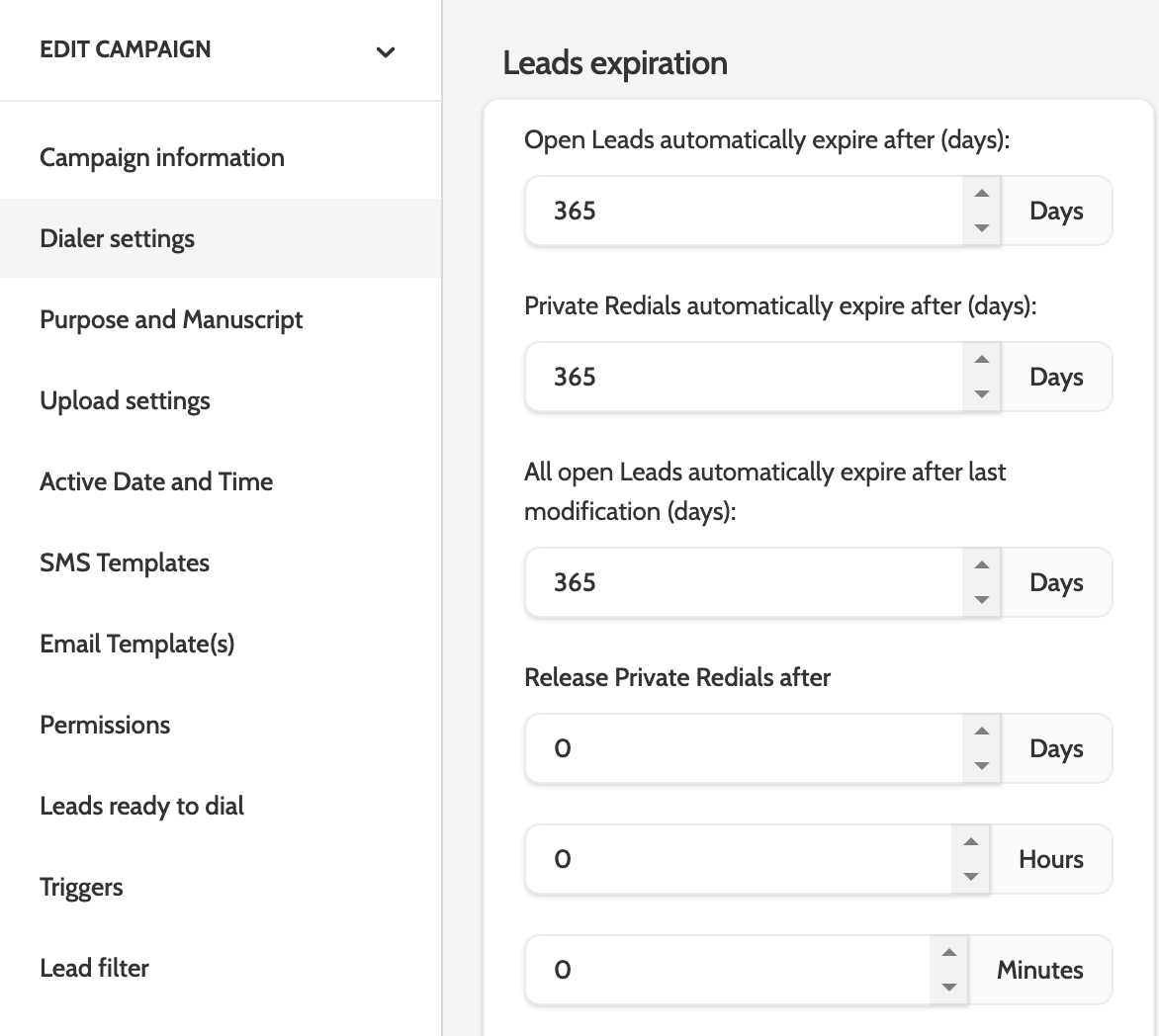
Under "Lead Expiration," set the number of days for each option.
For "Open Leads and Private Callbacks," set the number of days after the upload date that they will expire. Open leads include unprocessed, auto-callbacks, and regular callbacks.
For All Open Leads, the default setting is 365 days. It is important to note that this setting will take precedence over the Open Leads and Private Callbacks settings. To ensure that your open leads or private callbacks do not expire prematurely, increase the number of days.
How to delete confidential data and potential customer data
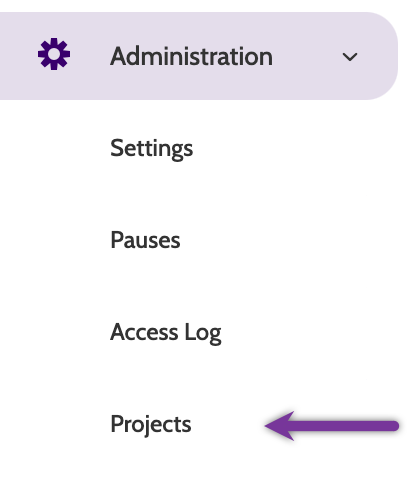
Go to Projects in the Administration tab of the menu.
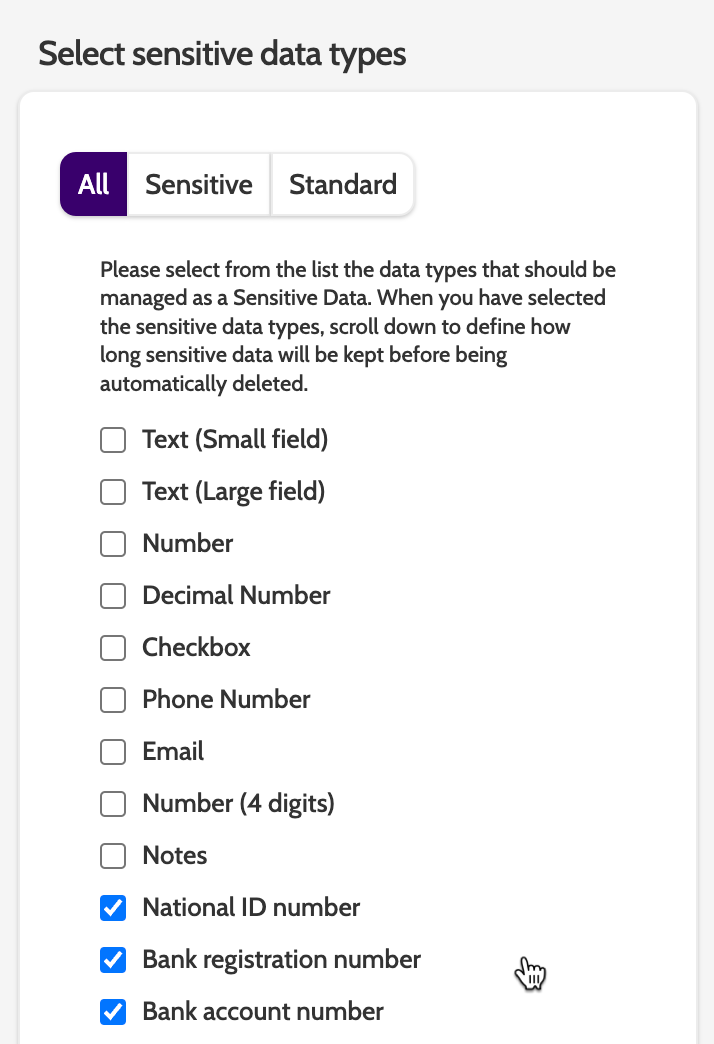
Select a project or create a new one.
Select the types of data you want to treat as confidential.
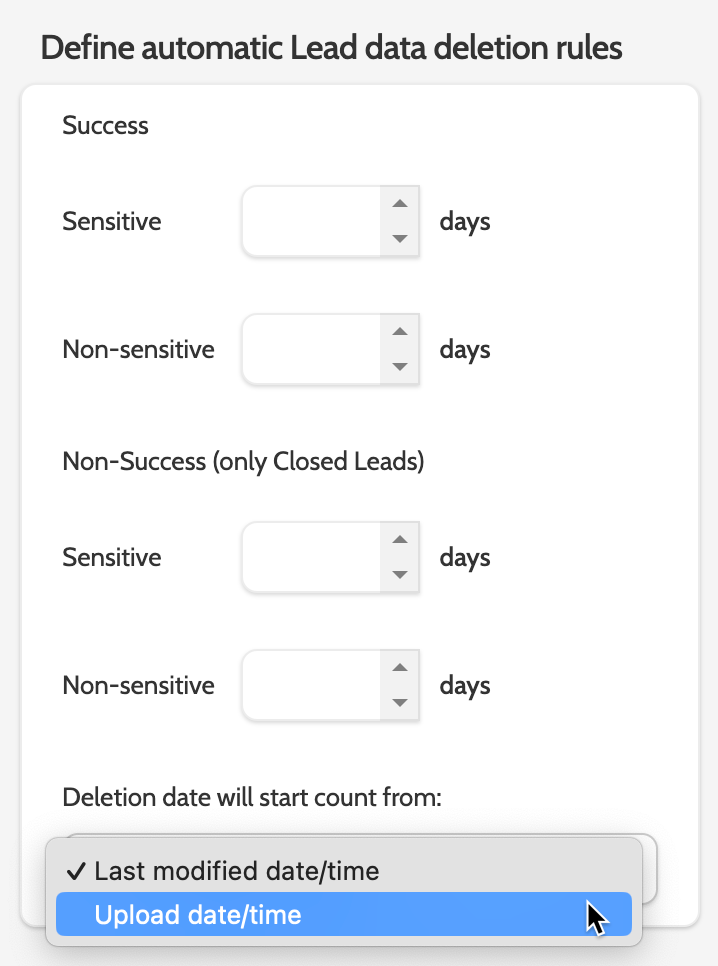
In Define automatic rules for deleting lead data, decide how many days confidential and non-confidential data will be stored in Outbound.
- Success - Sensitive: Data marked as sensitive in leads closed as Success.
- Success - Non-confidential: Data not marked as confidential in leads closed as Success.
- Unsuccessful - Sensitive: Data marked as sensitive in leads closed as Unsuccessful.
- Unsuccessful - Non-confidential: Data not marked as confidential in closed leads as Unsuccessful.
Potential customers closed as unsuccessful include the following statuses: Not interested; Invalid; Not qualified; Maximum call attempts; Abandoned; Invalid phone number; Expired; Deleted; Anonymous; On restricted number list; On global restricted number list.
Select how you want to define the deletion period from the drop-down menu.
Please note that data deletion is permanent and cannot be restored!