Quickstart: Projects
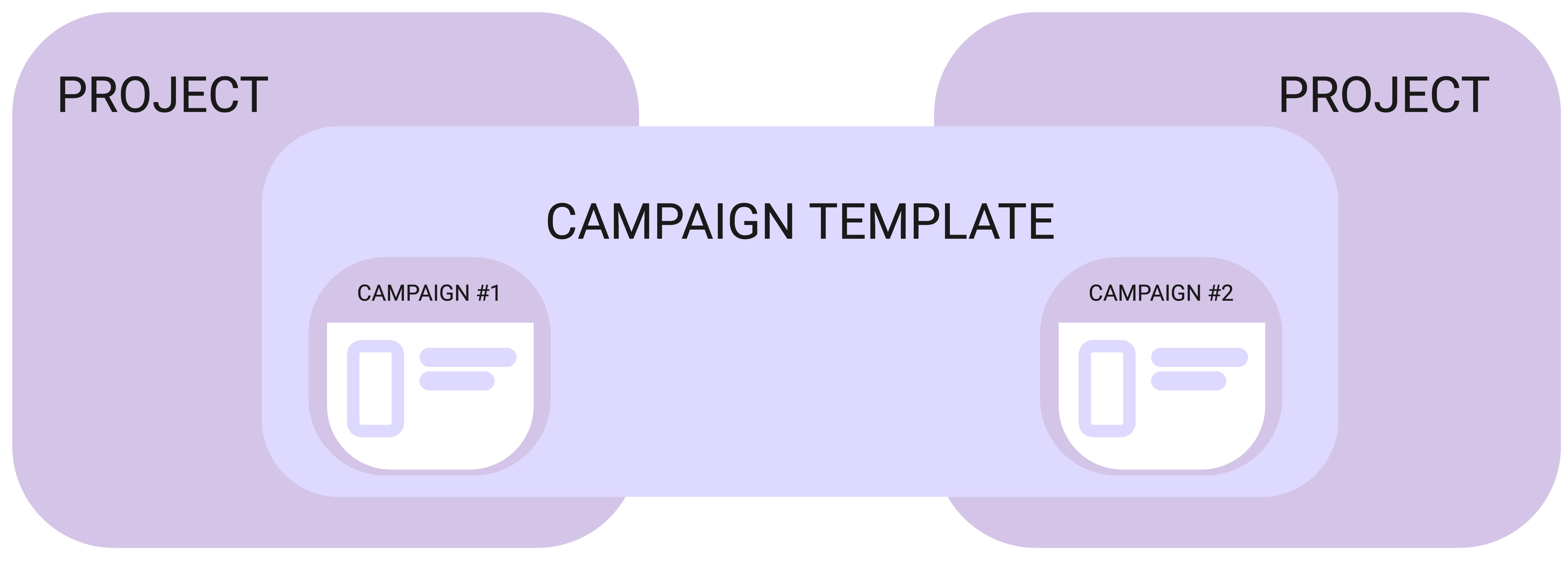
- Projects contain Campaigns
- Campaigns can belong to only one Project
- Campaign Templates can belong to many Campaigns!
Before you start
- You must have the Admin > Projects feature permission to create and edit Projects in Outbound.
What are Projects?
Projects are like containers that group related Campaigns together, and define some overarching rules for those Campaigns.
You can create Project in two places:
- In Administration > Projects
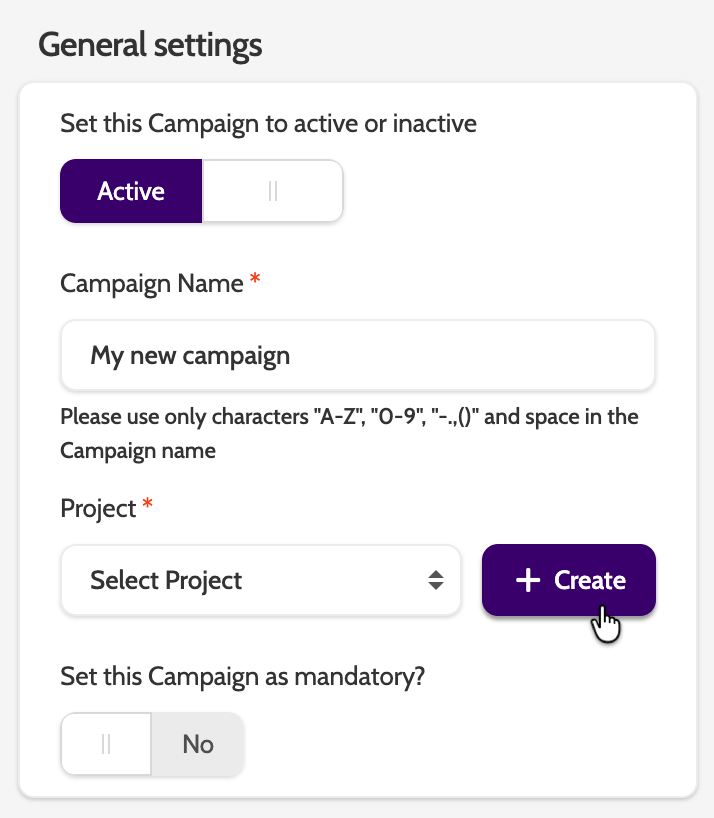
- When creating a new Campaign. With this option, you should visit the Projects page after you have created your Campaign to configure the Project settings.
Step-by-step
1. Create or Edit a Project
- Go to Administration > Projects
- Click + Create New Project
- Enter a Name
- Check Active if you want this project to be immediately usable.
2. Configure Sensitive Data Types
- Under Sensitive Data Types, select which campaign data types should be treated as sensitive.
- Sensitive data types will be subject to automatic deletion rules later.
- Use the Sensitive tab to view all types already marked, and the Standard tab to view the rest.
3. Define Automatic Lead Data Deletion Rules
- Under Define automatic Lead data deletion rules, set how long lead data should be kept before permanent deletion.
- These rules apply to all campaigns within this project.
- Lead deletion works in two steps:
- Set Lead expiration in Campaign Settings (days after upload).
- Set Retention rules in Project Settings (days data is stored).
- Important: Permanent deletion can not be undone!
4. Configure Call Recording Retention
- Choose how many days to store call recordings before deletion.
- You can manage this here or at the Campaign level; project settings overrule campaign settings.
- If neither Project nor Campaign sets retention, corporate defaults apply.
What can I use call recordings for?
👉 Quality assurance & coaching – Listen in the Quality Assurance module or via Call Search/Recording Player to check script adherence, tone, and process. Use recordings to give concrete feedback and improve agent performance
👉 Training new agents – Build a library of “golden calls” and “learning examples” so new agents can hear real conversations (both strong and weak calls)
👉 Compliance & documentation – Keep verifiable records of conversations (with configurable retention in Projects/Campaign settings) to support regulatory or internal policy requirements
👉 Dispute resolution & audits – Refer back to what was actually said if a customer questions an agreement, promise, or outcomes
👉 Process improvement & analytics – Review patterns in successful vs. non‑successful calls to refine scripts, objections handling and campaign setup.
Other Settings
Not mandatory, but configure these settings to optimise Campaign performance.
- Music on hold: select a music file that will play when an agent puts a call on hold
- Dynamic Display Number: groups are tied to Projects, and will be shown here
- Call transfer phone book: add external phone numbers that can be used during a hot transfer.
Check it’s working
- The new Project appears in the Projects list under Administration.
- Assigned sensitive data types are visible in the Sensitive tab.
- Retention rules (lead data & call recordings) are stored and apply across campaigns in the project.
- Dynamic Display Number groups and transfer numbers are listed correctly.
Troubleshooting essentials
- Project not appearing for campaigns? Ensure its status is Active.
- Lead data isn’t deleting? Confirm both campaign expiration and project retention rules are set.
- Call recordings persist longer than expected? Project settings may overrule campaign settings — review those values.
- Dynamic numbers not available? Verify groups are created and linked at campaign level.